Master Your Move: The Ultimate Change of Address Checklist
Why a Premium Template Changes Everything
Moving is stressful. Between packing boxes, coordinating movers, and setting up utilities, the last thing you want is to forget notifying someone important about your new address. A solid Change of Address Checklist becomes your lifeline during this chaotic transition. Instead of scrambling to remember every service, subscription, and contact that needs updating, you work from a proven system that covers every angle.
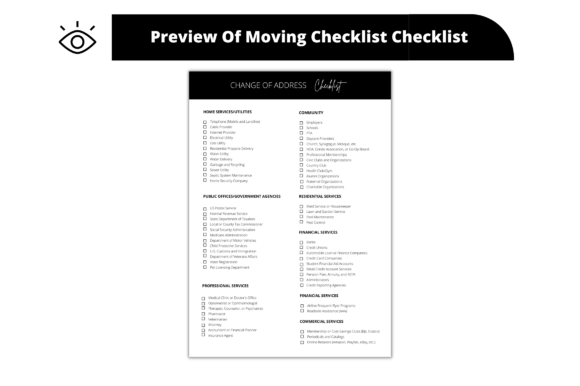
The Premium Real Estate Change of Address Checklist Template takes this concept further. It is not just a list. It is a thoughtfully designed document that you can hand directly to clients, share with your agency team, or keep for personal use. The template arrives as an editable Canva link, which means you open it in your browser and start customizing immediately. No special software. No steep learning curve. Just clean, professional design at your fingertips.
What Makes This Template Stand Out
Most free checklists you find online look generic. They use basic fonts, minimal structure, and offer zero flexibility. This template breaks that pattern. The visual layout uses modern typography principles with clear hierarchy, so the eye moves naturally from one section to the next. Headings stand out. Categories are grouped logically. White space keeps everything breathable and easy to scan.
The design carries a professional yet approachable personality. It works equally well in a real estate office setting and on a family kitchen counter. That versatility matters because a Change of Address Checklist needs to serve different audiences without feeling out of place in any context.
Full Customization Without the Headache
Here is where the template truly earns its value. Every single element is editable inside Canva. You can swap colors to match your brand identity. Change fonts to align with your agency's style guide. Replace images, adjust the background, resize the entire layout, and even restructure sections if your workflow demands it.
The download includes three key components:
- Instructions PDF that walks you through the customization process step by step
- Sample Letterheads so you can preview how the finished product looks in context
- Editable Template Link that opens directly in Canva for immediate access
You control everything from font choices to color palettes. Whether you prefer a sans serif font for a clean, modern feel or want to incorporate a serif font for added elegance, the template accommodates your vision. Resize it to A4, letter size, or any dimension your project requires. Export as PNG, SVG, JPG, or PDF depending on whether you plan to print, email, or upload.
Real-World Applications for Every Professional
Think beyond personal use. Real estate agents can send this checklist to clients as part of a closing package. It adds a layer of service that clients remember. Marketing teams at property management companies can customize the template with their logo and distribute it during tenant onboarding. Even moving companies can brand it and include it with welcome packets.
For designers and creative professionals, this template represents a shortcut worth taking. Instead of building a Change of Address Checklist from scratch in Illustrator or InDesign, you start with a polished foundation and refine from there. The time savings alone justify the investment, especially when you are juggling multiple client projects.
Design Details That Matter
The template uses a structured layout with clear visual separation between categories. Sections for government agencies, financial institutions, utilities, subscriptions, and personal contacts each receive distinct treatment. This approach supports strong visual hierarchy, which is a core principle in editorial design and print design.
Typography choices in the template lean toward readability. The heading fonts carry enough personality to feel premium without sacrificing clarity. Body text remains legible at smaller sizes, which matters when someone prints the checklist and references it quickly while on the phone or packing. These are the kinds of readability considerations that separate professional design assets from amateur efforts.
How to Get the Most From Your Template
Start by opening the Canva link and reviewing the full layout before making changes. Get familiar with how sections are organized. Then work through your customizations systematically.
- Update colors to match your brand palette or personal preference
- Swap fonts if needed, keeping font pairing principles in mind for visual cohesion
- Add your logo or letterhead information in the designated areas
- Review the checklist items and add or remove entries based on your specific needs
- Export in the format that suits your distribution method
If you plan to email the checklist to clients, PDF keeps things clean and universally accessible. For social media sharing or web embedding, PNG or SVG works better. The flexibility of this premium font template means you never feel locked into one output format.
The Bigger Picture
A well-crafted Change of Address Checklist does more than prevent missed notifications. It communicates professionalism. When a real estate agent hands a client a beautifully designed checklist, that small detail reinforces trust. It says, "I thought about your experience beyond the transaction." That kind of brand perception drives referrals and repeat business.
For small business owners and entrepreneurs, branded templates like this one serve as subtle design assets that elevate every client touchpoint. You do not need a massive marketing budget to look polished. You need smart tools that respect your time and deliver consistent quality.
This template does exactly that. It saves hours of design work, produces a professional result, and adapts to whatever context you need it in. Whether you are an agent, a marketer, a designer, or someone simply trying to survive a move with your sanity intact, having a reliable Change of Address Checklist ready to go makes all the difference.